

 En
En
 Español
Call Us
+86 0572-5911661

2026-05-21
Content
Both spellings are widely used and both are correct — "armrest" (one word) is the more common form in product specifications and ergonomic literature, while "arm rest" (two words) appears frequently in casual writing and some manufacturer catalogs. Either way, the component being discussed is the same: the horizontal support attached to an office chair where the forearm rests during seated work. When researching or comparing chairs, using both spellings in searches will broaden results without any meaningful difference in what comes up.
What does matter — far more than spelling — is the type of armrest a chair has. Fixed armrests, height-adjustable armrests, and fully adjustable (4D) armrests behave completely differently in use, and choosing the wrong type is one of the most common and frustrating ergonomic mistakes in office seating.
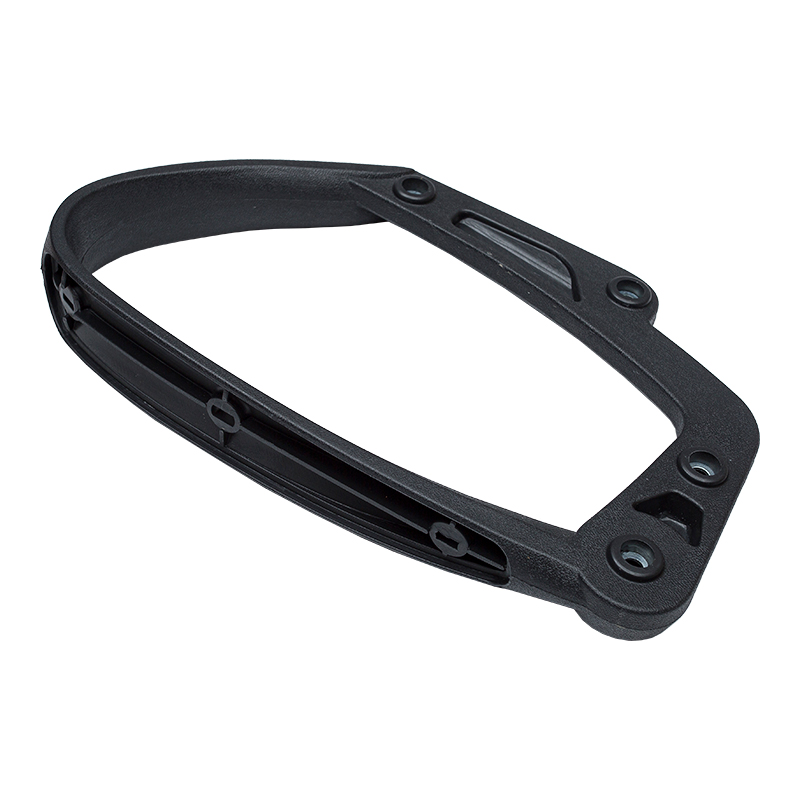
It's a reasonable question. Fixed armrests — those that don't adjust in height, width, or angle — are still standard on a large portion of office chairs sold today, including many mid-range models from well-known brands. There are several reasons this persists, and most of them have more to do with economics and manufacturing than ergonomics.
Adjustable armrest mechanisms — particularly those that adjust in multiple directions — add components, assembly steps, and quality control requirements. A basic height-adjustable armrest adds roughly $15–40 to the per-unit manufacturing cost at commercial volumes. For manufacturers producing hundreds of thousands of units in the budget-to-mid-range segment, fixed arms represent a significant cost saving that allows them to remain competitive on price while allocating spend toward more visible features like lumbar support or seat foam quality.
Fixed armrests have no moving parts to wear out, wobble, or fail. In commercial procurement — outfitting entire offices at once — facility managers and purchasing departments often favor fixed-arm chairs because they have fewer service calls and replacement parts over a long service life. The perceived robustness of a fixed arm, however illusory from an ergonomic standpoint, translates to lower long-term maintenance burden in high-turnover office environments.
In meeting rooms, reception areas, training rooms, and hot-desking setups, chairs are used by many different people in short sessions. Adjustable armrests in these environments get knocked out of position constantly, and workers in brief or rotating sessions rarely take the time to re-adjust. Fixed arms eliminate this problem — at the cost of fitting no one perfectly.
Many fixed-arm designs allow sleeker, more sculptural chair silhouettes. Adjustable armrest mechanisms require paddle buttons, sliders, or telescoping shafts that add visual complexity to a chair's profile. For design-forward office environments, architects and interior designers sometimes specify fixed-arm chairs because they fit the visual brief — and again, ergonomic compromise is quietly accepted in favor of aesthetics.
Fixed armrests are manufactured to a single height — typically set at a compromise position intended to approximate the elbow height of an "average" seated user. In practice, this average fits very few people well.
Elbow height in a seated position varies significantly based on torso length, shoulder height, and how a person's seat height is set relative to their desk. A person who is 5'4" working at a desk set to a standard 30-inch height will have a very different ideal armrest height than a person who is 6'1" at the same desk. When an armrest is too low, the worker's shoulder drops, the arm hangs unsupported, and the trapezius and levator scapulae muscles engage chronically to hold the arm up — a direct cause of the neck and shoulder tension that is endemic in modern office work.
The result is that many workers with fixed-arm chairs either:
None of these adaptations is neutral. Each introduces its own ergonomic compromise, and compounded over years of daily use, they contribute to musculoskeletal disorders that are both painful and expensive — the Bureau of Labor Statistics consistently identifies musculoskeletal conditions as among the most common causes of workplace injury and lost work time.
Adjustable armrests are armrests that can be repositioned in one or more dimensions to match a user's body and workstation setup. They range from basic single-axis models to sophisticated multi-directional systems used in high-end ergonomic seating. Understanding the categories helps when comparing chairs.
Entry-level adjustable armrests move only up and down — typically 3 to 4 inches of vertical travel, actuated by a push-button mechanism under the pad. This solves the most common problem (the armrest is too low) but leaves width, angle, and depth fixed. They are a meaningful improvement over fixed arms and are found on most chairs in the $150–350 price range that claim any ergonomic positioning.
2D armrests add lateral width adjustment — the ability to move the armrest inward or outward relative to the seat. This matters because shoulder width varies considerably between users, and an armrest that is too far out creates lateral shoulder abduction while one that is too narrow crowds the torso. Some 2D systems replace or supplement width with pivot (rotation), allowing the pad to angle inward or outward to align with the natural angle of the forearm. Both are significant improvements over height-only models.
3D armrests add fore-aft depth adjustment — sliding the pad forward or backward along the armrest post. Depth matters most when working at a keyboard: sliding the pad forward allows the forearm to be supported closer to the keyboard without reaching, reducing the tendency to lean forward with the torso. This adjustment is particularly valuable for users with long torsos or those who prefer to sit farther back in the chair while still reaching the keyboard with supported arms.
4D armrests combine height, width, depth, and pivot into a single system, providing the most complete fit to individual body geometry and task requirements. They are standard on premium ergonomic chairs and are often the feature that most directly justifies the price premium of chairs in the $600–1,500+ range. When all four axes are correct, the armrest supports the forearm in the exact position that keeps the shoulder relaxed, the wrist neutral, and the elbow at approximately 90–100 degrees — the configuration most associated with reduced upper-extremity musculoskeletal strain.
| Armrest Type | Adjustments | Best For | Typical Price Tier |
|---|---|---|---|
| Fixed | None | Short sessions, shared spaces | Budget–Mid |
| 1D | Height | Single user, basic ergonomics | Mid |
| 2D | Height + Width or Pivot | Varied shoulder widths, keyboard work | Mid–Upper Mid |
| 3D | Height + Width + Depth | Deep reach tasks, long torso users | Upper Mid |
| 4D | Height + Width + Depth + Pivot | Full-day seated work, ergonomic priority | Premium |
Before deciding whether to replace a chair or adjust its armrests, it helps to confirm whether the armrest height is actually the problem. These are the clearest signs that a chair's armrests are positioned too low.
The ergonomic benchmark is straightforward: when seated with feet flat on the floor and hips at approximately 90–100 degrees, the armrest should support the forearm with the elbow at 90–110 degrees of flexion and the shoulder completely relaxed — neither hiked upward nor pulled downward. The armrest surface should be at or very slightly below elbow height, never higher (which would force the shoulder upward) and never so low that the arm droops away from it.
A practical test: sit in the chair in your normal working position, let both arms hang naturally at your sides, then bend the elbows to 90 degrees. The point where your forearms rest is your target armrest height. If the armrests are more than about 1 inch below that point, they are too low for full-day use.
Not every solution requires buying a new chair. Depending on the chair model and the severity of the mismatch, several options can improve the situation without full replacement.
Adhesive foam or memory foam armrest pads add 0.5–1 inch of height while also improving comfort on hard plastic pads. For chairs with bolt-on armrests, aftermarket riser blocks are available that increase armrest height by 1–2 inches without replacing the entire assembly. These are inexpensive ($15–40) and work well when the gap between current and needed height is small.
Many mid-range office chair brands sell replacement armrest assemblies that upgrade a fixed or 1D arm to a 3D or 4D system. This is most viable for chairs with a standard armrest bolt pattern (common in Herman Miller, Steelcase, and their licensed derivatives) and less practical for chairs where the armrest is integrated into the shell structure. Replacement 4D armrest sets typically cost $60–150 and can meaningfully extend the ergonomic life of a chair that is otherwise in good condition.
When chair armrests cannot be raised further, raising the desk surface to bring work closer to elbow height is a viable alternative — particularly relevant if a standing desk converter or height-adjustable desk is already in use. The goal is always to minimize the distance the forearm must travel unsupported between the armrest and the keyboard or mouse.
This is counterintuitive but sometimes correct. An armrest in the wrong position is worse than no armrest at all in some cases. If fixed armrests are too low and interfere with getting close to the desk, removing them entirely allows a neutral seated position without the shoulder compensation that a poorly-fitted fixed arm forces. This is especially relevant for smaller-framed users in chairs built for average to larger frames, and for users whose desk surface functions effectively as an armrest replacement for light-touch keyboard and mouse work.
If adjustable armrests are a priority — and for anyone working more than four hours per day at a desk, they should be — here is what to evaluate beyond the marketing label.
Look for the actual numerical height range specified in the product data sheet — not just the claim of adjustability. A good adjustable armrest should offer at least 3.5–4 inches of height travel. Many budget "adjustable" armrests move only 1.5–2 inches, which is insufficient to fit users at the lower and upper ends of the height range.
Hard plastic armrest pads are the most common complaint in armrest comfort reviews. For full-day use, look for polyurethane foam, memory foam, or gel-topped pads. The pad should have enough surface area to support the full forearm, not just the elbow point — ideally 4 inches wide and 9–11 inches long.
Adjustable armrests should lock positively at each setting without wobble. Test this in-store if possible — press down firmly on a height-adjusted armrest and check for any vertical play. A wobbly armrest that creeps down during use is more frustrating than a fixed arm. Quality mechanisms use steel ratchet locks or cam-lock systems; plastic pawl systems wear faster and develop slop over time.
On 2D and wider armrest systems, check the inward width adjustment range. The goal is to position armrests directly under the forearms when the upper arms hang vertically from relaxed shoulders — not wider, which forces the arms outward, and not so narrow that the chair crowds the torso. A lateral adjustment range of 2–3 inches inward from the default position covers most shoulder widths adequately.
One practical issue that armrest guides rarely address directly: armrests that are too wide or too tall can prevent you from pulling the chair close enough to the desk. This is a frequent source of frustration, especially with older or lower desks with solid aprons or frame rails beneath the work surface.
Before purchasing a chair with 4D armrests, measure the clearance height under your desk — from the floor to the underside of the desk frame or drawer bank. Many standard desks have an apron height that limits how high armrests can be set while still fitting under the surface. If the armrests cannot tuck under the desk, you are forced to sit farther back, which increases reach distance to the keyboard and mouse.
The minimum desk clearance height needed is the target armrest height plus 1–2 inches of tolerance. If your desk clearance is 26 inches, you need armrests that can be set no higher than 24–25 inches. Check both measurements before committing to a chair, particularly if moving from a fixed-arm chair to a fully adjustable system.
Recommended Products

Call Us
+86 0572-5911661

Need Support

Head Office
ADD:Baishuiwan Industrial Park, Anji County, Zhejiang Province
Copyright © 2025Zhejiang Lubote Plastic Technology Co. , Ltd.
All Rights Reserved.Custom Chair Replacement Accessories Factory

